Files and Media Library
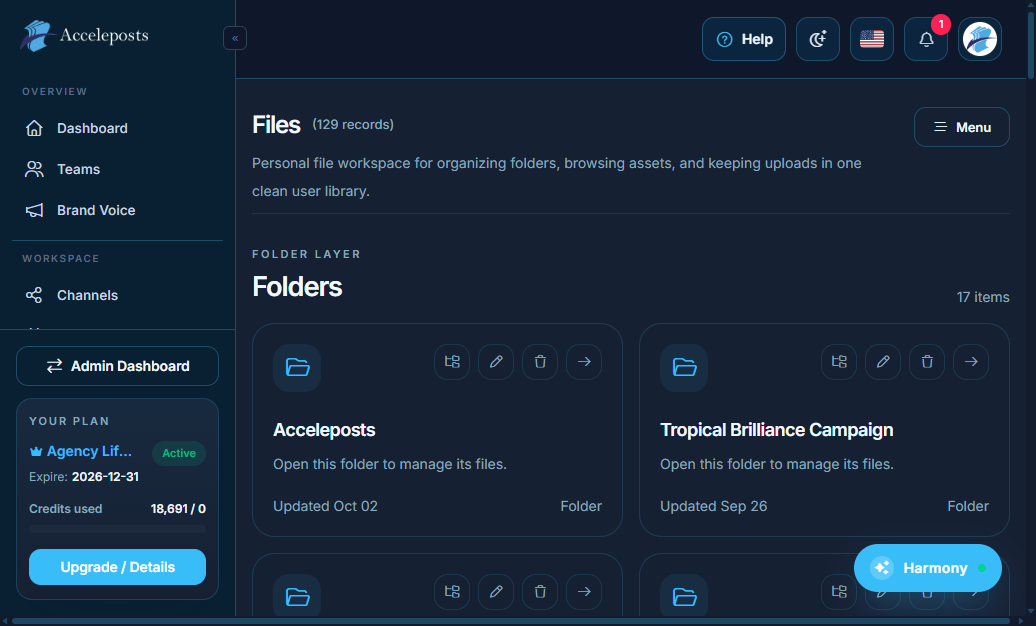
Who should use this page
Creators and teams who upload, organize, edit, and reuse media assets in AccelePosts.
Step-by-step workflow
- Open the Files workspace from the main navigation.
- Upload files from your device or import from connected sources.
- Organize assets into folders and keep naming consistent.
- Open previews before publishing to confirm quality.
- Reuse approved assets inside Publishing, AI tools, and channel posts.
Checklist
- File type is supported for your intended channel.
- Filename and folder structure are clear for your team.
- Media dimensions and quality match post requirements.
- Sensitive files are not shared outside intended workspace access.
Troubleshooting
- If uploads fail, verify file size and format limits.
- If preview is missing, refresh the page and retry asset processing.
- If team members cannot see assets, confirm workspace/team scope.