AI Assistant (Harmony)
Harmony is the AI assistant built into AccelePosts. It can draft captions, generate images and
music, build bot flows, and take real actions in your account when you ask it to.
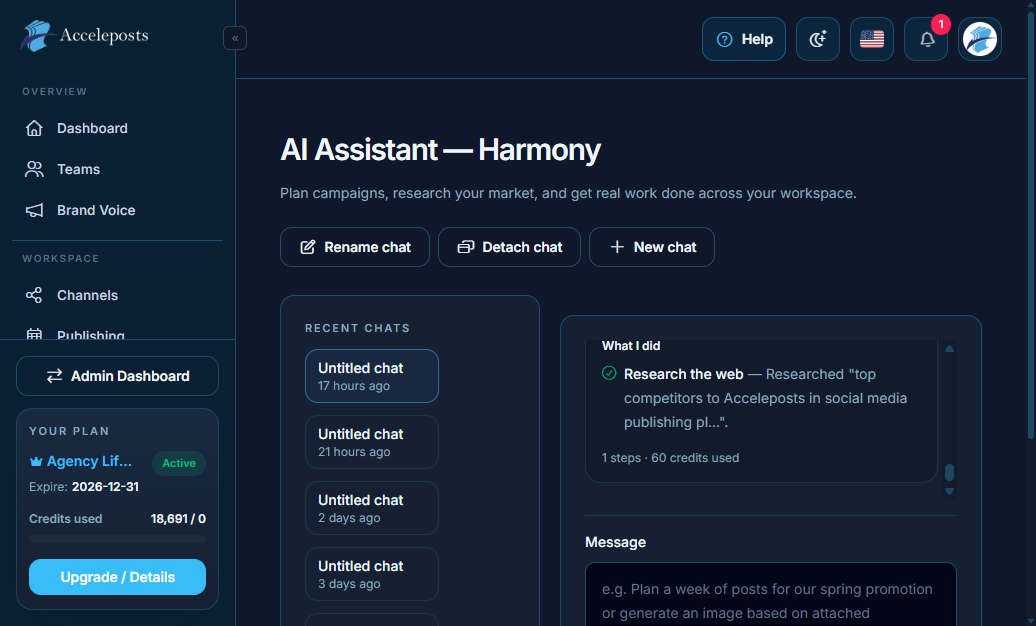
What It's For
Instead of jumping between tools, you can describe what you want in plain language — "write 5
Instagram captions about our fall sale" or "create a 10 second lo-fi track for a product video"
— and Harmony drafts it, or calls the right tool (image generation, music generation, bot flow
creation) on your behalf.
Where To Find This In AccelePosts
- Sidebar: **Workspace > AI Assistant** (route `/portal/assistant`)
- A floating **Harmony** chat dock is also available from most portal pages so you don't have to
leave what you're working on.
Step-by-Step Workflow
- Open AI Assistant or the Harmony dock and describe the task in your own words.
- Review what Harmony proposes — drafts, generated media, or a summary of an action it's about
to take.
- Approve, edit, or ask for a revision before anything is published or saved.
- For actions that spend credits (AI writing, image generation, music generation), confirm your
available credit balance on the Dashboard first.
Validation Checklist
- Generated content matches your brand voice settings (see Brand Voice page) before publishing.
- Any action Harmony takes on your behalf (e.g. scheduling a post) shows up correctly in the
relevant queue or calendar afterward.
- Credit balance decreases by the expected amount for the type of generation requested.
Common Mistakes To Avoid
- Approving AI-drafted captions without reviewing for channel-specific tone or length limits.
- Asking for an action on a channel that isn't connected yet — connect it first.
- Running the same generation repeatedly on failure without checking the error reason first.
Troubleshooting
- If a generation request fails, check whether it's a transient provider error (retry) or a
content-policy rejection (edit your prompt).
- Confirm your plan has the relevant feature enabled (music/image generation are plan-gated).
- For "heavy traffic" or capacity errors from an underlying AI provider, wait briefly and retry.